
One list, your prices
People can only order what you have approved, at your contract price. Maverick spend has nowhere to go.
Included with every trade account
mCentral is the portal behind your MSC account. Approved lists, budgets that hold, approvals, live delivery tracking, invoices and carbon reporting, across every site you run.
This is the working prototype. Click to open it as an Area Manager.
People can only order what you have approved, at your contract price. Maverick spend has nowhere to go.
Each site gets a monthly budget, enforced in the basket. An order that would breach it waits for an approver.
A delivery window, live tracking and the driver's name, on the app, without ringing anyone.
Filter by date, site, PO or status and pull the invoice yourself. Same for spend and carbon reporting.
Screen by screen
Dashboard
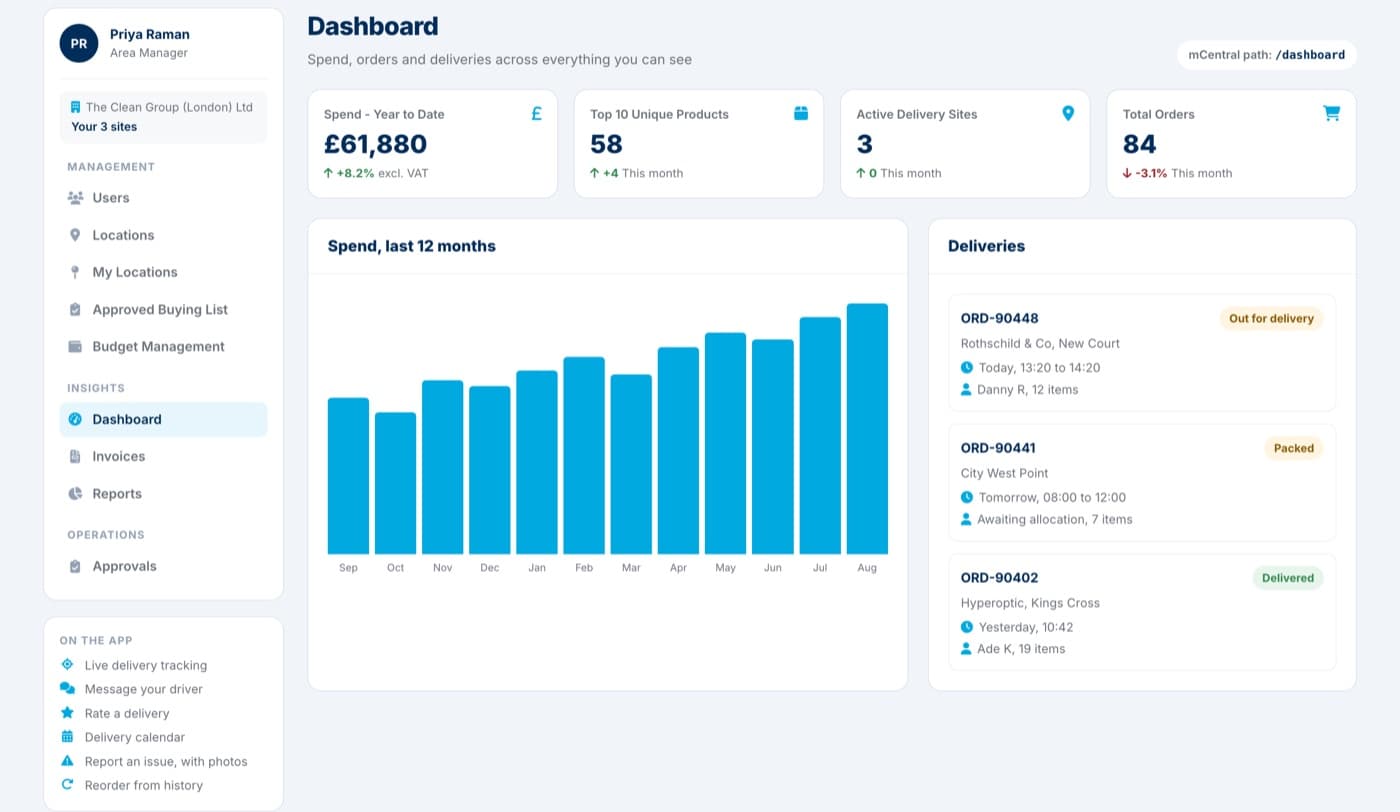
Open mCentral and the position is there: what you have spent this year, how many orders are running, which sites are active and what is arriving next.
Approved Buying List
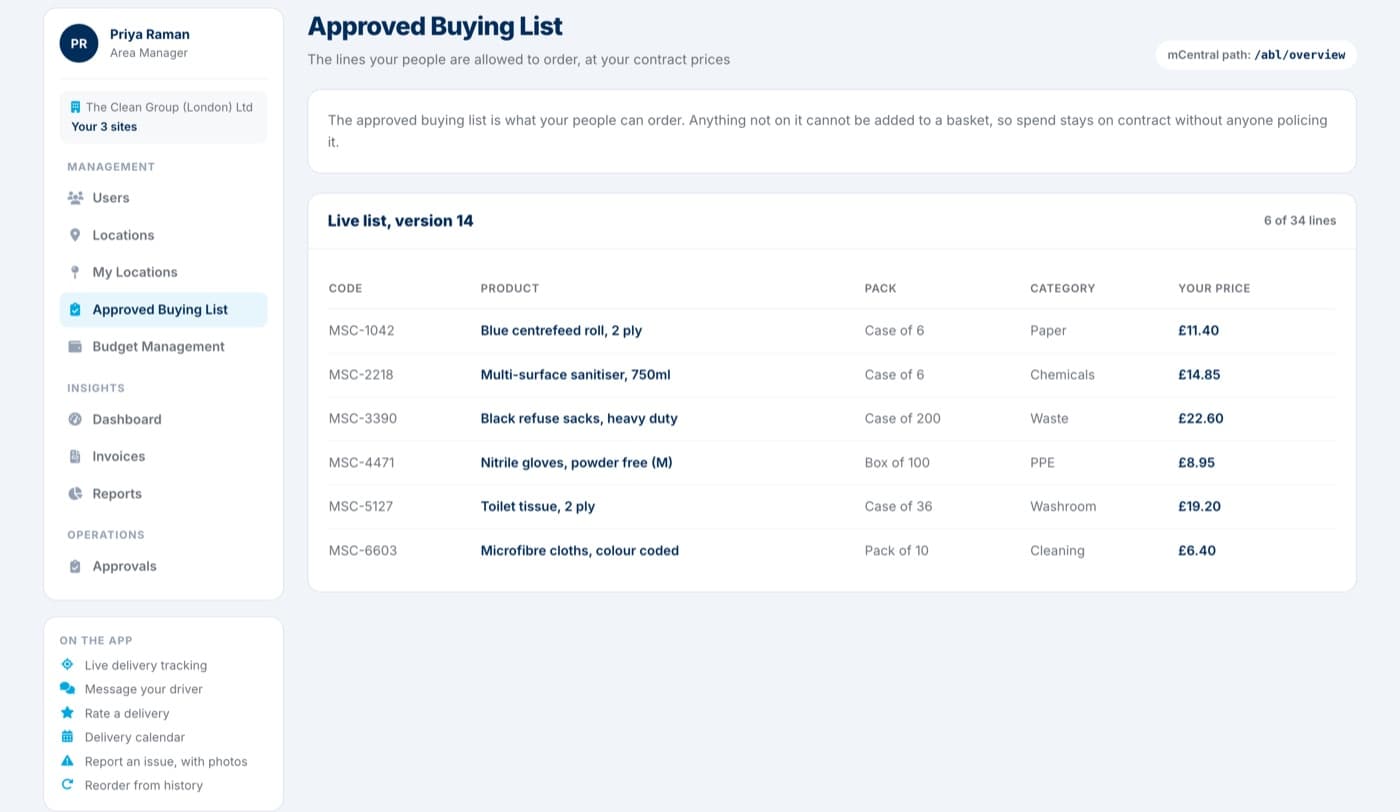
Your list is the catalogue your people see. Anything off it cannot reach a basket, so the contract holds itself without anyone policing it.
Budget Management
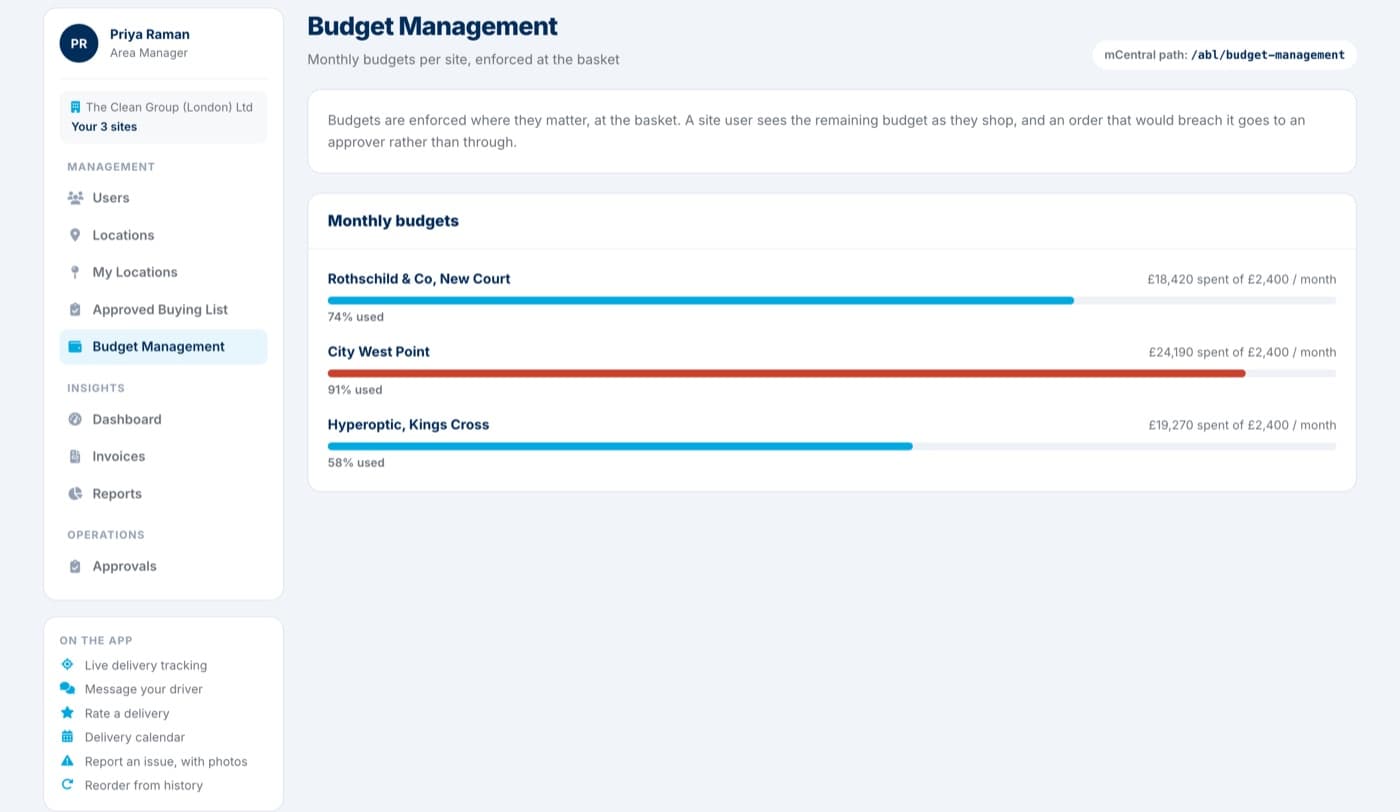
Site users see the budget shrink as they shop. When an order would take a site over, it stops and goes to an approver instead of going out.
Approvals
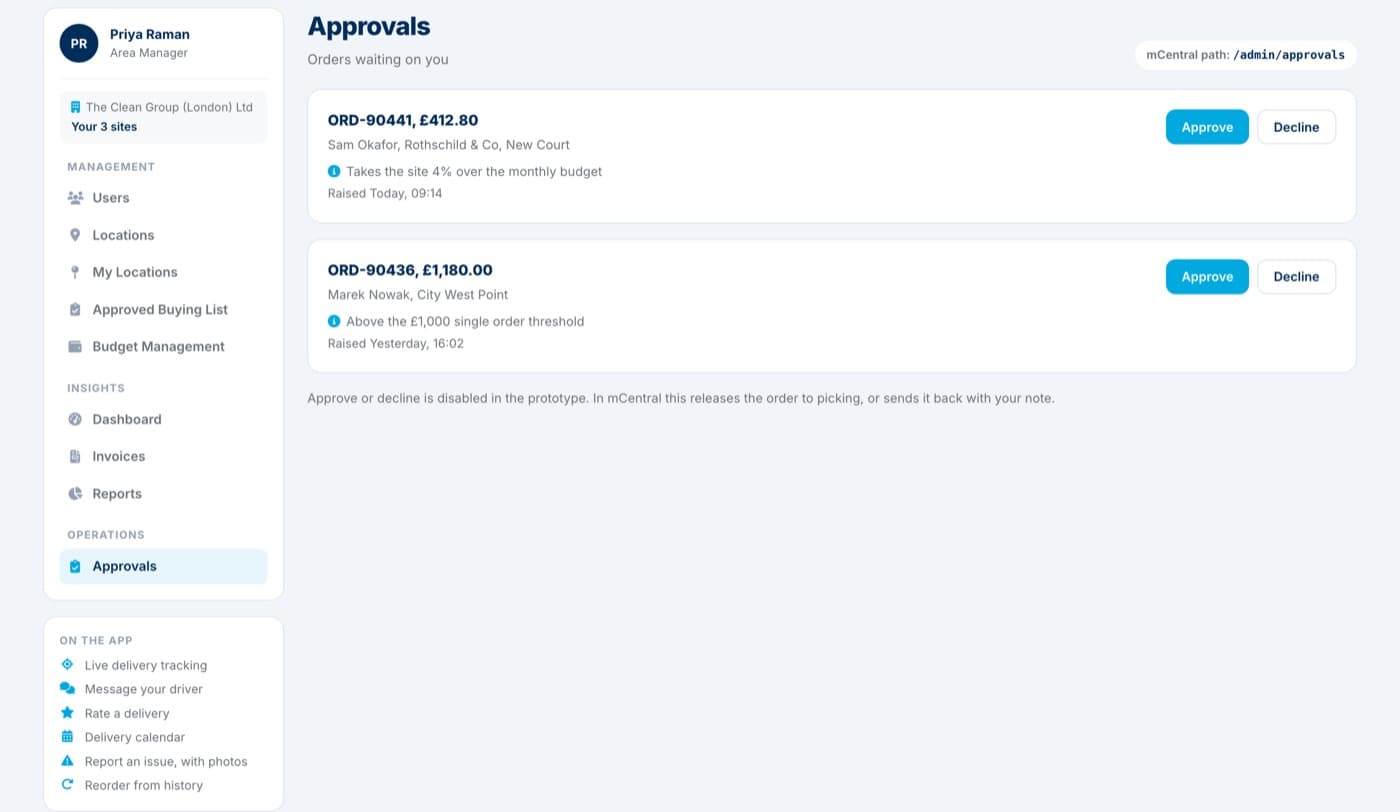
Over budget, or over your single order threshold, and the order waits. You get the value, the site, who asked and why it was held.
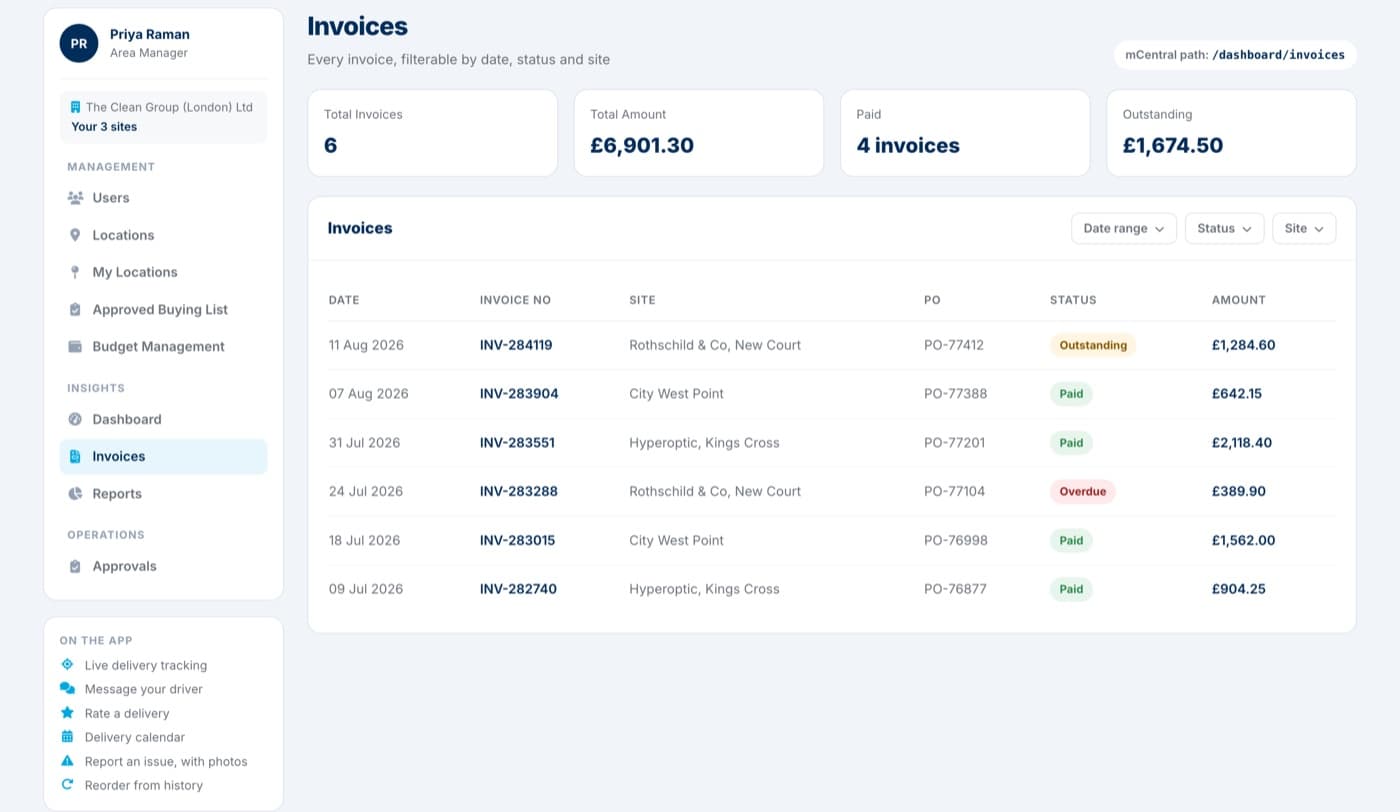
Invoices
Total, paid and outstanding across the sites you can see, then filter by date, status or site and take the ones you need.
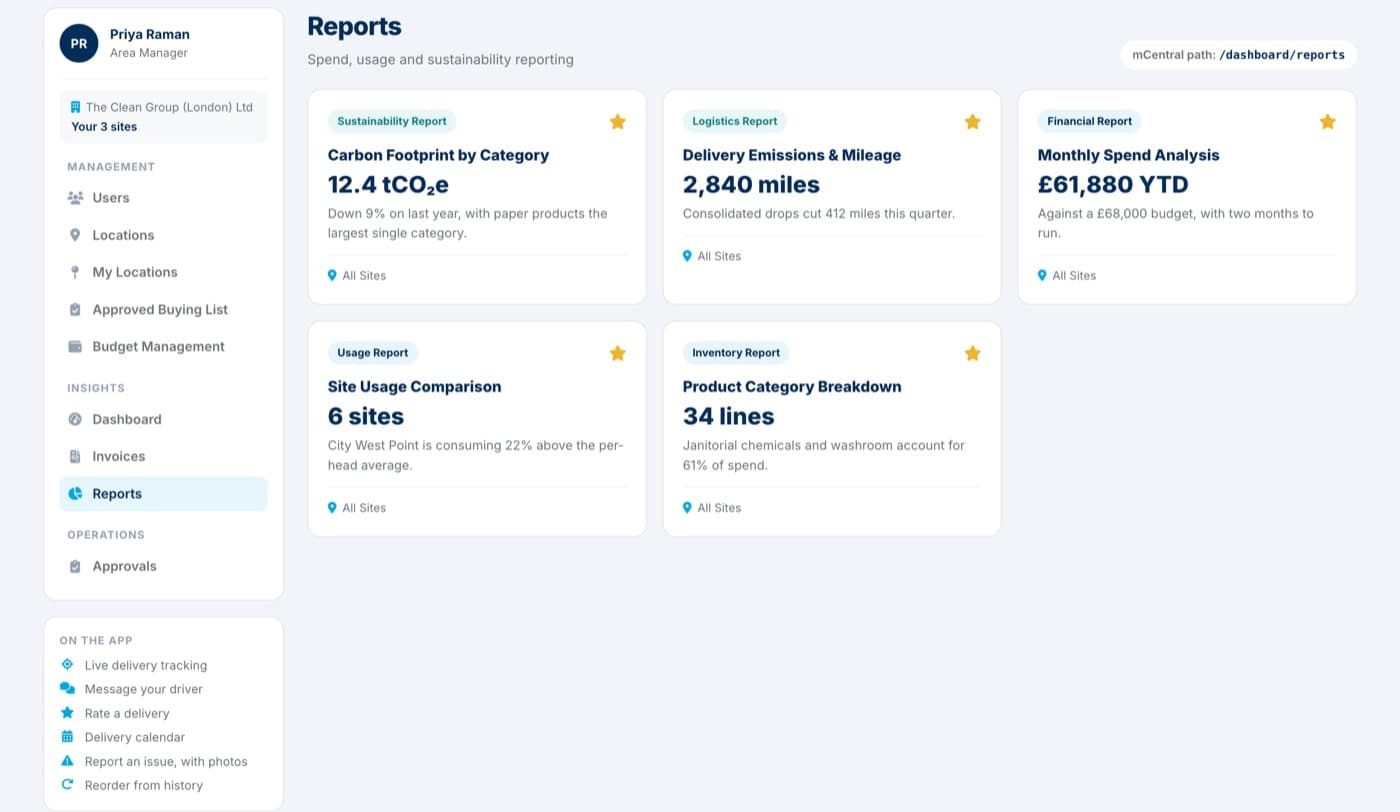
Reports
Monthly spend, site comparison and product breakdown, plus carbon footprint and delivery emissions for the reports you have to file.
Who sees what
A site user cannot see another site's spend, and cannot change a list or a budget. Pick a role below and the prototype opens with exactly what that role gets, nothing more.
Approvals is the exception: it is a flag on the person, not the role, so anyone can be made an approver.
Orders for their site, tracks their deliveries, pulls their own invoices and reports.
Runs a patch: their sites' lists, budgets and users, and approves the orders that are held.
The whole account: every site, every user, every budget and reporting across all of it.
The app and mCentral
Order on the phone, manage the estate on the desktop. Both run on the same account, so a delivery tracked in the app is the same order signed off in mCentral.
Order from the list your business has approved, inside the budget it has set, with sign-off before the spend happens.
Each site orders from its own agreed list, so nobody buys off-contract by accident.
Spend limits per category, checked live as the basket fills rather than discovered at month end.
Orders over a threshold wait for an approver, who can amend the lines before releasing them.
When a line is short, the alternative comes to you for a yes or no instead of silently vanishing.
Repeat a past order from history without rebuilding the basket line by line.
Know when it lands, talk to the driver on the way, and record what turned up once it has.
Follow the van on the day, with stops remaining and an ETA rather than a nine-to-five window.
Gate codes, access notes and where to leave it, sent to the person actually driving.
Score the drop as it happens, so service problems surface the same day rather than at review.
Every site's deliveries on one calendar, so a week can be planned around them.
Split deliveries tracked separately, so a part-shipped order is not a mystery.
The paperwork and the numbers in one place, per site or across the whole estate.
What each site spent, on what, over any period, without asking anyone to export a spreadsheet.
Track the shift to lower-impact products with figures you can put in front of a client.
Every invoice against the order it came from, ready to hand to accounts.
Raise a shortage or a damage, add photos, and keep the thread with MSC on the order itself.
One account across every site, with each person seeing only what they should.
Switch between sites without a second login, and keep their lists and budgets separate.
Invite a site manager, decide what they can order and approve, and remove them when they leave.
Order, approval and delivery updates by push, email or WhatsApp, per person.
All of it comes with a trade account
There is no separate subscription and no per-seat charge. Open an account and the app, mCentral and the reporting come with it.
The half that goes out to site
Cleaners and site teams are not sat at a desk. The MSC app puts ordering and deliveries in their pocket, on the same account and the same approved list.
Tell us your sites, your users and the controls you need, and we will set the account up that way. Or open the prototype first and see whether it fits.